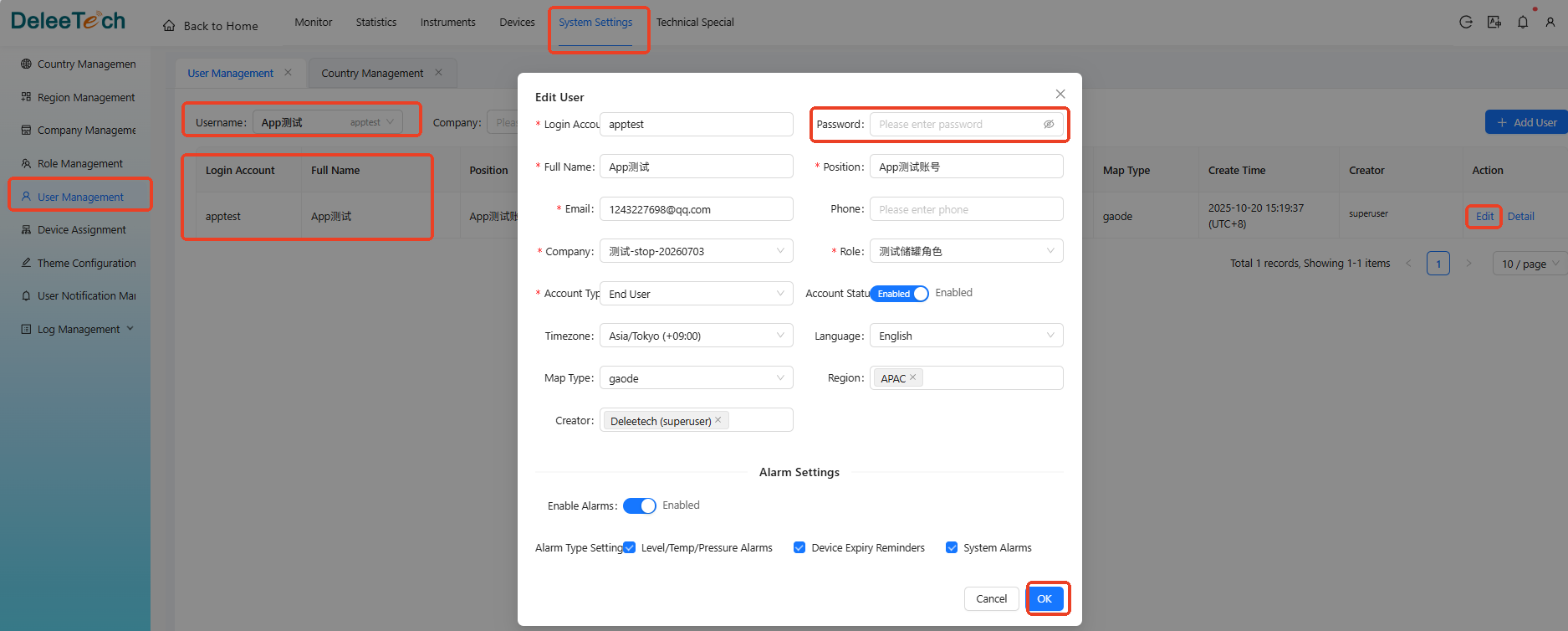
User Management - How to Reset a User Password
Method 1: Admin Resets User Password
Log in to Deleetech Cloud - Click System Configuration in the main menu - Click User Management in the side menu - Use the top search bar to find the account that needs a password reset - Click search - In the data table below, find the user you want to edit, then click Edit in the right-hand action column - In the pop-up form, enter the new password in the password field and confirm to submit.
Refer to the diagram below for detailed steps: