The page is displaying incorrectly, how can I clear the cache to fix the problem?
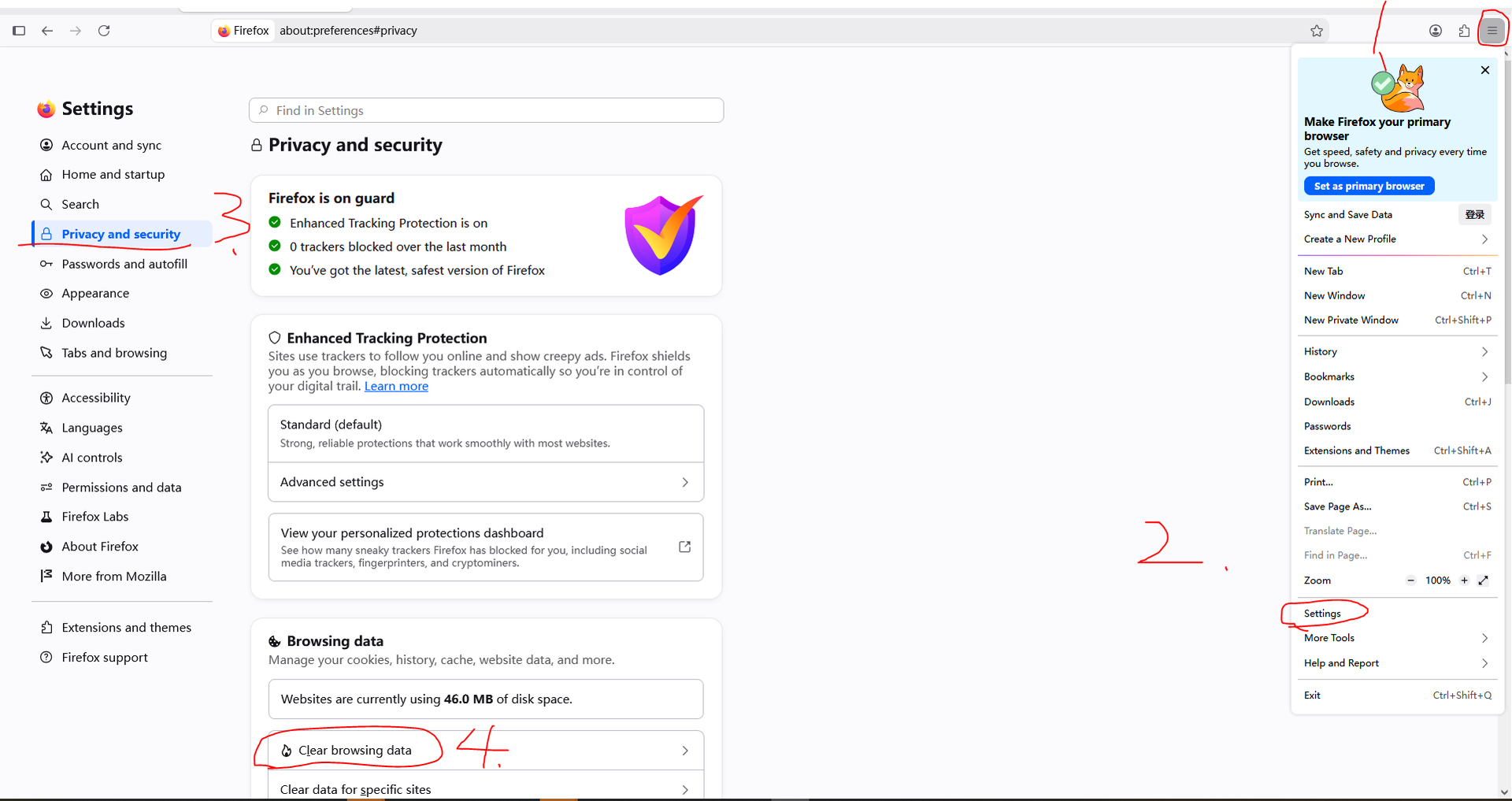
1. Find the settings page in the top right corner of the browser. Follow the steps in the picture 1. 2. Go to the settings page
2. Find 'Clear browsing data.' Follow the steps in picture 3. 4. Proceed
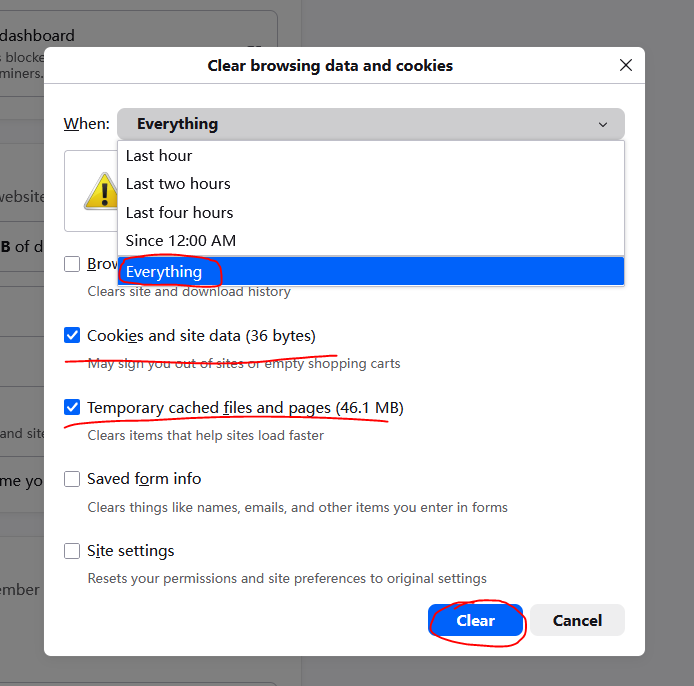
3. Select 'All time' for the time range, make sure 'Cookies and site data' and 'Cached images and files' are checked (note: don't check the other options, or you might lose browser data). Click 'Clear' and wait for it to finish. Refresh the page, and everything should be back to normal.